How to Connect Your Tv to Your Phone Remote Without Wifi

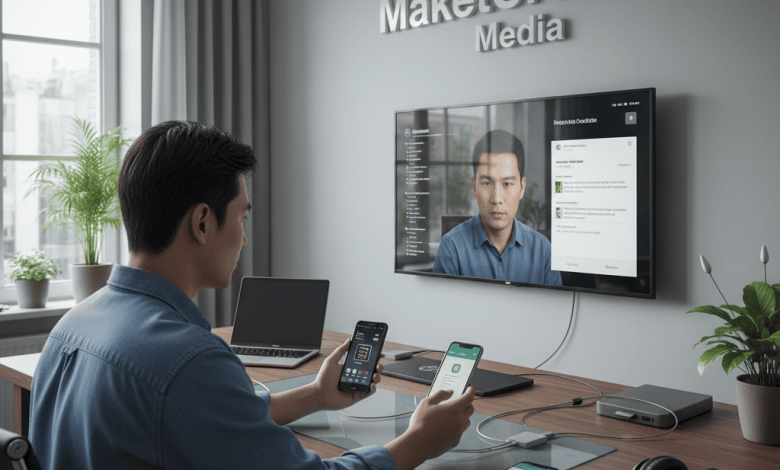
In the modern smart home era, the convenience of controlling a television via a smartphone has become a standard expectation. However, a common technical hurdle arises when a stable Wi-Fi network is unavailable—perhaps during a move, in a remote vacation rental, or amid a router malfunction.
Many users assume that without a shared wireless network, the digital bridge between a phone and a TV is broken. Fortunately, several sophisticated technologies allow you to maintain control. This guide outlines the most effective, fact-based methods to transform your smartphone into a TV remote in an offline environment.
How to Connect Your Tv to Your Phone Remote Without Wifi
1. The Infrared (IR) Blaster: The Classic Solution
Long before the advent of smart casting, televisions were controlled via Infrared signals. While many modern flagship phones have moved away from this hardware, a significant number of Android devices (notably from brands like Xiaomi, Vivo, and Huawei) still feature a built-in IR Blaster.
How to Utilize It:
- Identify the Hardware: Check your phone’s specifications for an IR Blaster (usually located as a small black circular lens on the top edge).
- Use the Native App: Open the pre-installed “Mi Remote” or “Smart Remote” app.
- Pairing: Select your TV brand. Point your phone at the TV and follow the prompts to test various signal codes. Since this uses light pulses rather than data, no Wi-Fi or Bluetooth is required.
2. Bluetooth Connectivity: The Modern Bridge
Many mid-to-high-end Smart TVs produced after 2020 (including models from Samsung, LG, and Sony) utilize Bluetooth for their physical remotes. These TVs often allow smartphones to pair directly via Bluetooth to act as an input device.
Step-by-Step Connection:
- Enable Pairing Mode: Using the physical buttons on your TV, navigate to the Bluetooth Settings or Accessories menu.
- Phone Discovery: On your smartphone, go to Settings > Bluetooth and scan for new devices.
- Authentication: Select your TV model. Once paired, you can use compatible third-party remote apps that support Bluetooth HID (Human Interface Device) profiles to navigate menus and control volume.
3. Wi-Fi Direct and Screen Mirroring Protocols
It is a common misconception that Wi-Fi Direct requires an internet connection. In reality, Wi-Fi Direct acts as a peer-to-peer connection, much like a wireless cable, between two devices.
- For Roku and Fire TV Users: Some remote apps can connect via a Wi-Fi Direct hotspot generated by the TV itself.
- Method: Enable the “Screen Mirroring” or “Wi-Fi Direct” option in your TV’s network settings. On your phone, connect to the SSID (network name) broadcasted by the TV. Once linked, the dedicated remote app for that specific brand will often recognize the TV even without an external router.
4. HDMI-CEC via a Wired Adapter
If wireless options are unavailable, the most stable professional workaround involves using HDMI-CEC (Consumer Electronics Control). This technology allows devices connected via HDMI to communicate with each other.
- The Setup: Connect your phone to the TV using a USB-C to HDMI adapter.
- The Logic: Once the physical connection is established, your phone is recognized as an input source. If your TV supports HDMI-CEC (often branded as Anynet+ for Samsung, SimpLink for LG, or Bravia Sync for Sony), you can sometimes use the phone’s interface to send commands back to the TV’s processor.
5. Specialized External Hardware
For phones lacking an IR blaster, you can purchase a Universal IR Dongle. These are miniature devices that plug into your phone’s USB-C or Lightning port.
- Execution: After plugging in the dongle, download the associated app. The dongle then mimics a standard remote control, bypassing the need for any network infrastructure entirely.
Technical Insights for the User
When operating without Wi-Fi, the primary challenge is “handshaking”—the process where two devices verify each other’s identity. To ensure a smooth experience:
- Battery Management: Using Bluetooth or Wi-Fi Direct for extended periods can drain phone battery faster than standard use.
- Line of Sight: If using IR-based methods, ensure there are no physical obstructions between the phone and the TV’s sensor.
Final Thoughts
The transition to a Wi-Fi-independent remote solution is a testament to the versatility of modern hardware. Whether through the resurgence of infrared technology or the smart implementation of Bluetooth HID profiles, your smartphone remains a powerful tool for media management. By understanding these alternative pathways, you ensure that your viewing experience remains uninterrupted, regardless of the status of your local network.